Toontrack Superior Drummer 2.3 Review
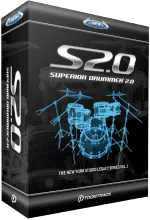 In a previous blog I talked about hooking an Alesis DM6 USB Kit up to Logic Pro and Superior Drummer, as someone fairly new to edrums I thought a little review might be helpful!
The moment I started using the DM6 I knew that it wouldn’t cut it when recording so started looking for alternatives, whilst Logic comes with some okay sound libraries for drumming they were just all a bit dead. The DM6 did ship with a Lite version of EZDrummer also from Toontrack. This is Superior Drummer’s baby brother whilst the upgrade looked good I wanted some more power, power that was packed into SD2!
SD2 can operate in a number of ways, as a standalone version (Toontrack Solo) or as a VST/AU Plugin. It shows up in both Logic and Garageband on my Mac, if using Toontrack Solo you will not be able to trigger using an edrum kit, which seems a little strange to me, I may be wrong? Anyway I use Logic so no problems there.
Getting Started
After parting with your hard earned cash on their website you get immediate access to a download of around 1.5GB, this is simply the start. This download gives you just enough to get going while they ship you the 5 DVDs with the full sample library! The initial setup gives you the program along with a super cut back set of samples, a couple of cymbals, one set of toms and a few snare sounds. There are also none of the presets or effects. However once you get the DVDs the sound installer runs and after about an hour everything is ready to go.
Construct
SD2 breaks itself into a few different windows accessed via tabs all doing different things within the plugin. The main construct window gives you a really nice visual representation of the kit, it also allows you to easily change the sounds via convenient drop downs on each piece of the kit. A few basic layouts are included in the presets and you have the option to customise with x-drums (virtual customised pieces you can also layer on top of other pieces). In total you can have 45 kit positions which could lead to some potentially insane kits.
Mixer
SD2 mixer is really impressive, looking very much like a typical DAW, 5 inserts per channel, 16 routable busses, phase reverse and mute and solo on all tracks. You also have the very useful option of a multi channel out, this means that instead of having a single stereo channel in your DAW you can have 16 individual channels allowing you to mix each part of the kit independently from within your DAW and apply different effects, EQ etc to those parts. An interesting feature is the bleed control. On each track you can set how much bleed you would like from the other mics. For example your snare bottom can get a little bit of bleed from the Kick drum, snare top gets a little toms, how much snare, kick, hats, toms do you want on your overhead mics? Each kit piece has an individual mic along with multiple overhead options including, standard overhead, ambient close, medium and far as well as a mono ambient bullet mic all recorded using Coles, U67 and C24 to name a few. You also get 5 insert effects created by Sonalksis including filter, EQ, gate, transient and compressor, the presets for each channel are a good starting place. Each effect opens in it’s own mini floating window much like any normal plugin within a DAW, you can also side chain your channels and busses within the effects! The mixer really is very powerful for a plugin, there really isn’t much you need to do in your DAW!
Mapping
One window that some will use some won’t. From here you can map your kit pieces to specific MIDI notes if you need to. For me it was fairly essential as on most of my presets I am using a Tom pad from my ekit as an extra cymbal. Thankfully remapping a cymbal to another note is easy. You simply select the kit piece you want to remap and drag it to the MIDI note on the virtual keyboard you want to assign it to. Interestingly you get 2 options when dropping a sound onto a note (if there is already a sound assigned to it) replace or join. Replace is fairly self-explanatory, however join is a nice feature. You can merge a new sound over your existing and then adjust the velocity at which each sound comes in. So you could overlay a cowbell on your snare but set it to only come in at 127 when you really crack the snare. Anything under 127 and you just get snare. A nice little addition!
The Sounds
This is the reason I bought the library and I was not disappointed! SD2 comes with the first part of Toontracks’s New York Studio Legacy Series, it was recorded at New York’s Avatar Studios by Pat Thrall, Neil Dorfsman and drummer Nir Z. It’s a fairly chunky 60GB that has been slimmed down to 20GB using lossless data compression. There is an option to install some slimmed down version of the library when you are installing, the smallest comes in at 4GB if diskspace is at a premium.
The full install (which I went for) gets you a full range of options from sticks (sticks, brushes, hot rods or mallets) and kick beaters (wood, felt or plastic) to use. The base kit is from US company GMS (who I have to admit I have never heard of), but gets pimped by some big name augmentations. Included are 3 kick drums, 7 snares (including a Ludwig Black Beauty and a super nice piccolo!), three hi-hats, five cymbal sets, 4 rides, 2 types of tom and not forgetting a cowbell.
The sounds are great, I am really pleased. There is not necessarily a great deal of variety between some of them and a couple of the cymbals will probably never see the light of day. However to counter this there are a huge amount of extra sound libraries available including custom and vintage and even a hard core metal library. Along with the DM6 I am really happy with the sounds I am getting from it, the individual pieces respond well to dynamic inputs and there really does feel like a big range of velocity sensitive samples have been bundled into this.
Using it
So it sounds good, but is it easy to use? Yes and no. If you want to just get going with some good sounds then it’s not too difficult, some of the bundled kit presets aren’t too bad actually. I have found that after a little work you get the hang of it and I have a number of quite good custom presets of my own which I tend to stick to. Whichever window you are in the surround stays pretty much the same showing you the memory status, master volume and some detailed parameters for each kit piece including key assignment and velocity parameters. You can also audition kit sounds in the right corner. Just a note on memory and CPU usage, some of the presets do load nearly 1GB into memory although I’ve found most of the time it’s using about 512MB or less. If you’ve got a decent machine (I think most people have at least 4GB these days in Apple land anyway) you’ll be fine.
There is also the groove tab, opening up this gives you a massive range of MIDI grooves in a variety of styles, tempos and variations including fills. It can be particularly useful when trying to find your sound, and could be used in projects just by dragging the loops into your DAW window. It’s not something I have used extensively yet but it is again another welcome addition.
Overall Superior Drummer ticks all the boxes and delivers superior performance (get it?) for a really great price! It produces studio grade sounds suitable for recording and is a welcome addition to my home studio!
Pros
- Value for money
- Performs well and doesn’t hog system resources
- Superb mixer and effects
Cons
- Sounds can be a little repetitive.
- Not all instruments available with all stick variations.
Filed under Geek. No comments, on purpose.